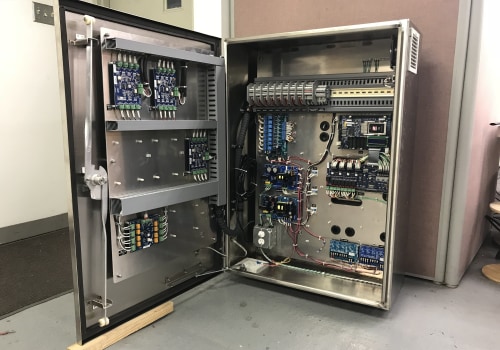
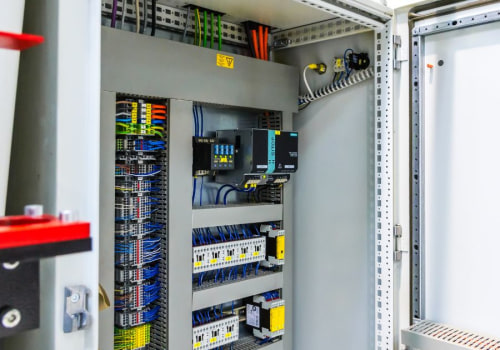
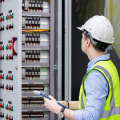
In the realm of modern manufacturing and industrial operations, industrial panels serve as the backbone of electrical control systems. These panels are essential for managing and distributing power, ensuring that machinery operates efficiently and safely. Understanding the intricacies of industrial panel installation is crucial for professionals in various sectors, from manufacturing to energy production. A well-installed panel not only enhances operational efficiency but also minimizes downtime and maintenance costs. There are several types of industrial panels, each designed to meet specific operational needs.
For instance, control panels are used to manage machinery functions, while distribution panels focus on distributing electrical power across different systems. Additionally, motor control centers are specialized panels that control multiple motors from a single location. Familiarity with these types allows technicians to select the right panel for their application, ensuring optimal performance. The installation process of industrial panels involves careful planning and execution. It requires a thorough understanding of electrical codes, safety standards, and the specific requirements of the equipment being controlled.
Proper installation not only ensures compliance with regulations but also lays the groundwork for effective troubleshooting, especially in scenarios where remote access is necessary. As industries increasingly adopt remote monitoring technologies, knowing how to troubleshoot issues with an industrial panel remotely becomes an invaluable skill.
Common Issues Faced with Industrial Panels
When it comes to industrial panel installation, various issues can arise that may hinder performance and efficiency. Understanding these common problems is crucial for effective remote troubleshooting.- Power Supply Issues: One of the most frequent problems is an inconsistent or complete loss of power. This can be due to faulty wiring, blown fuses, or issues with the main power source.
- Communication Failures: Industrial panels often rely on communication protocols to relay information.
If there are disruptions in communication, it could be due to network issues, incorrect settings, or hardware malfunctions.
- Software Glitches: Software bugs or outdated firmware can lead to operational failures. Regular updates and maintenance checks are essential to prevent these issues.
- Sensor Malfunctions: Sensors play a critical role in monitoring and controlling processes. If a sensor fails, it can lead to incorrect readings and operational inefficiencies.
- Overheating: Industrial panels can overheat due to poor ventilation or excessive load. This not only affects performance but can also cause permanent damage if not addressed promptly.
By understanding the common problems associated with industrial panels, technicians can implement effective remote troubleshooting strategies, such as monitoring system logs, checking connectivity, and performing software diagnostics.
Remote Access Technologies for Industrial Panels
In the realm of industrial panel installation, remote access technologies have revolutionized the way technicians troubleshoot and maintain systems. These technologies not only enhance operational efficiency but also minimize downtime, allowing for quick responses to issues that may arise.One of the most significant advancements in this area is the integration of the Internet of Things (IoT). IoT-enabled industrial panels can collect and transmit real-time data, providing insights into system performance and potential issues. This data can be accessed remotely, allowing engineers to monitor conditions and diagnose problems without being physically present at the site.Key Remote Access Technologies
- Virtual Private Networks (VPNs): VPNs create secure connections between remote users and industrial panels, enabling safe access to control systems and data.
- Remote Desktop Protocol (RDP): RDP allows users to connect to a computer or server remotely, providing full access to the panel's interface as if they were on-site.
- Web-Based Interfaces: Many modern industrial panels come equipped with web-based dashboards that can be accessed from any device with internet connectivity, facilitating easy monitoring and troubleshooting.
- Mobile Applications: Specialized apps designed for industrial panel management enable technicians to receive alerts, view system status, and perform diagnostics directly from their smartphones or tablets.
These platforms allow for centralized data storage and analysis, making it easier for teams to collaborate on troubleshooting efforts. By leveraging cloud technology, organizations can ensure that all relevant data is accessible in real-time, regardless of location.In conclusion, adopting these remote access technologies not only streamlines the troubleshooting process but also enhances overall system reliability. As industries continue to embrace digital transformation, the role of IoT and remote access will only grow in importance, paving the way for smarter and more efficient industrial operations.
Step-by-Step Troubleshooting Process
Troubleshooting issues with an industrial panel remotely can be a complex task, but following a systematic step-by-step troubleshooting process can simplify the procedure. Here’s a detailed guide to help you navigate through common problems effectively.- Identify the Problem: Start by gathering information about the issue.
Ask operators for specific symptoms, error codes, or unusual behavior observed in the panel.
- Access Remote Monitoring Tools: Utilize remote access software or monitoring systems that are integrated with the industrial panel. Ensure you have the necessary permissions and credentials to log in.
- Check System Status: Once logged in, review the system status dashboard. Look for any alerts or notifications that indicate malfunctions or irregularities.
- Review Historical Data: Analyze historical performance data to identify any trends leading up to the issue. This can provide insights into whether the problem is recurring or a one-time event.
- Run Diagnostic Tests: If available, execute built-in diagnostic tests to pinpoint specific faults within the panel.
These tests can often reveal hardware or software issues that need addressing.
- Inspect Configuration Settings: Verify that all configuration settings are correct. Sometimes, incorrect settings can lead to operational failures. Compare current settings with documented standards.
- Communicate with On-Site Personnel: If further investigation is needed, maintain communication with on-site staff. They can provide real-time feedback and assist in executing physical checks if necessary.
- Implement Solutions: Based on your findings, implement appropriate solutions.
This may involve resetting the system, updating software, or replacing faulty components.
- Document the Process: After resolving the issue, document each step taken during troubleshooting. This record will be invaluable for future reference and can help improve your troubleshooting process.
Utilizing Diagnostic Tools and Software
When it comes to troubleshooting issues with industrial panels remotely, utilizing the right diagnostic tools and software is crucial. These tools not only help in identifying problems but also facilitate timely resolutions, minimizing downtime and enhancing operational efficiency.Diagnostic Tools for Industrial Panels
- Multimeters: Essential for measuring voltage, current, and resistance, multimeters can help pinpoint electrical issues within the panel.
- Oscilloscopes: These devices allow for the visualization of electrical signals, making it easier to diagnose complex issues related to signal integrity.
- Thermal Cameras: By detecting heat patterns, thermal cameras can identify overheating components that may indicate failure.
Software for Troubleshooting
- SCADA Systems: Supervisory Control and Data Acquisition (SCADA) systems provide real-time data monitoring and control, enabling operators to detect anomalies quickly.
- PLC Programming Software: This software allows for remote access to programmable logic controllers (PLCs), making it easier to modify settings or troubleshoot issues directly.
- Diagnostic Software: Many manufacturers offer proprietary diagnostic software that can run tests and provide detailed reports on the health of the industrial panel.
Remote Diagnostic Tools
- Remote Access Software: Tools like TeamViewer or AnyDesk enable technicians to access the panel's control system from anywhere, allowing for immediate troubleshooting without physical presence.
- IOT Sensors: Internet of Things (IoT) sensors can be installed on industrial panels to continuously monitor performance metrics and send alerts when parameters exceed predefined thresholds.
Best Practices for Remote Troubleshooting
When it comes to remote troubleshooting of industrial panels, implementing best practices can significantly enhance the efficiency and effectiveness of the process. Here are some key strategies to consider:- Establish Clear Communication: Ensure that all team members involved in the troubleshooting process have access to a reliable communication platform.
This facilitates real-time updates and quick decision-making.
- Utilize Remote Monitoring Tools: Invest in advanced remote monitoring systems that provide real-time data on the performance of industrial panels. These tools can help identify issues before they escalate, allowing for proactive maintenance.
- Document Procedures: Create detailed documentation of troubleshooting procedures and common issues. This resource can serve as a guide for technicians working remotely, ensuring consistency and reducing the time spent on problem resolution.
- Implement Video Conferencing: Use video conferencing tools to allow technicians to visually inspect the panel and its components. This can help in diagnosing problems more accurately than verbal descriptions alone.
- Train Staff Regularly: Regular training sessions on the latest technologies and troubleshooting techniques can empower your team to handle issues more effectively.
Keeping staff updated on new tools and methods is crucial for successful remote maintenance.
- Prioritize Issues: Assess the severity of each issue and prioritize them based on their impact on operations. Addressing critical problems first can minimize downtime.
- Use Diagnostic Tools: Leverage diagnostic software that can run tests remotely, providing insights into potential failures or malfunctions within the industrial panel.
- Follow a Systematic Approach: Adopt a systematic approach to troubleshooting by following a checklist or flowchart. This ensures that no steps are overlooked during the diagnosis process.
Case Studies: Successful Remote Troubleshooting Examples
Remote troubleshooting of industrial panels has proven to be a game-changer in various sectors. Here are some case studies that highlight successful remote troubleshooting examples:Case Study 1: Automotive Manufacturing
In an automotive manufacturing plant, a critical industrial panel experienced unexpected downtime due to a communication failure.The maintenance team utilized remote monitoring software to access the panel's diagnostics. They identified a faulty network connection and were able to reset the system remotely, restoring functionality within minutes. This incident not only minimized production loss but also demonstrated the importance of having real-time data access.
Case Study 2: Food Processing Facility
A food processing facility faced issues with temperature regulation in their industrial panel controlling refrigeration units. By employing remote troubleshooting techniques, technicians accessed the panel's control system and discovered that a software update was required.They executed the update remotely, which resolved the temperature inconsistencies without needing an on-site visit, ensuring compliance with safety standards.
Case Study 3: Water Treatment Plant
In a water treatment plant, operators encountered irregular readings from their industrial panel monitoring water quality. Using remote access tools, they analyzed the data logs and pinpointed a sensor malfunction. The team guided local staff through the replacement process via video call, effectively restoring normal operations without significant delays.These examples illustrate how remote troubleshooting can lead to quick resolutions and significant cost savings in industrial settings. By leveraging technology, companies can enhance their operational efficiency and reduce downtime associated with industrial panel issues.FAQs about Remote Troubleshooting of Industrial Panels
When it comes to remote troubleshooting of industrial panels, several common questions arise.Below are some frequently asked questions that can help clarify your concerns and enhance your understanding of the process.
What is remote troubleshooting for industrial panels?
Remote troubleshooting refers to the ability to diagnose and resolve issues with industrial panels without being physically present at the site. This is typically achieved through network connectivity, allowing technicians to access the panel's system remotely.What tools are needed for remote troubleshooting?
- Remote Access Software: Programs like TeamViewer or VNC allow technicians to view and control the panel's interface from a distance.
- Monitoring Systems: These systems provide real-time data and alerts about the panel's performance, helping identify issues quickly.
- Communication Tools: Effective communication platforms ensure that technicians can collaborate with on-site personnel during troubleshooting.
How can I ensure my industrial panel is ready for remote troubleshooting?
To prepare your industrial panel for remote troubleshooting, consider the following:- Network Configuration: Ensure that the panel is connected to a reliable network with sufficient bandwidth.
- Security Measures: Implement strong security protocols, such as firewalls and VPNs, to protect sensitive data.
- Regular Updates: Keep software and firmware up to date to minimize vulnerabilities and improve functionality.
What are common issues that can be resolved remotely?
Many issues can be addressed through remote troubleshooting, including:- Error Codes: Diagnosing and resolving error codes displayed on the panel.
- Configuration Changes: Making adjustments to settings or parameters without needing a site visit.
- Performance Monitoring: Identifying performance bottlenecks or anomalies in real-time.
Conclusion: Key Takeaways on Remote Troubleshooting of Industrial Panels
In conclusion, effective remote troubleshooting of industrial panels is essential for maintaining operational efficiency and minimizing downtime. By implementing the strategies discussed, organizations can enhance their ability to diagnose and resolve issues swiftly, ensuring that production processes remain uninterrupted. Here are the key takeaways:- Utilize Remote Monitoring Tools: Investing in advanced monitoring systems allows for real-time data collection and analysis, enabling technicians to identify potential issues before they escalate.
- Establish Clear Communication Protocols: Effective communication between on-site personnel and remote technicians is crucial. Establishing protocols ensures that information is shared promptly, facilitating quicker resolutions.
- Regular Training and Updates: Continuous training for staff on the latest technologies and troubleshooting techniques is vital.
Keeping everyone informed about system updates can significantly reduce response times during incidents.
- Document Troubleshooting Procedures: Maintaining a comprehensive database of troubleshooting steps and solutions can serve as a valuable resource for technicians, allowing them to act quickly based on past experiences.
- Leverage Data Analytics: Analyzing historical data can help identify patterns in equipment failures, allowing for proactive maintenance strategies that prevent issues from occurring in the first place.